RunoffLab
A stormwater design tool that puts EPA SWMM behind an interactive site plan. Draw rain gardens, permeable pavement or green roofs on a site, then see what they do to runoff, peak flow and water quality — before anything is built.
- 2026
- Stormwater engineering
- Repository private for now
The problem
Paved sites send most of their rain straight into storm drains, carrying sediment into creeks and overloading pipes in heavy storms. Green infrastructure helps, but every square metre costs money, and the standard engineering model, EPA’s Storm Water Management Model, is driven by text input files and long reports. RunoffLab asks a practical question of it: which features, where, and how big, give the most benefit for the budget?
My role
A two-person project joining environmental engineering and computer science. My teammate came up with the idea and built the frontend; I built the backend — the FastAPI service that checks designs and runs them through SWMM — and the SQLite project storage.
How it works
- DrawSVG site editor
- CheckConstraint rules
- TranslateSWMM .inp file
- SimulateSWMM 5.2 via PySWMM
- CompareBaseline vs design
The browser holds the site and the design. On simulate, the backend checks the design against the same rules as the editor, writes it out as a SWMM input file — one subcatchment per surface, one LID control per feature — runs SWMM in a temporary folder and reads its binary output back. The frontend only draws what SWMM returned.
What it does
- Draw the site
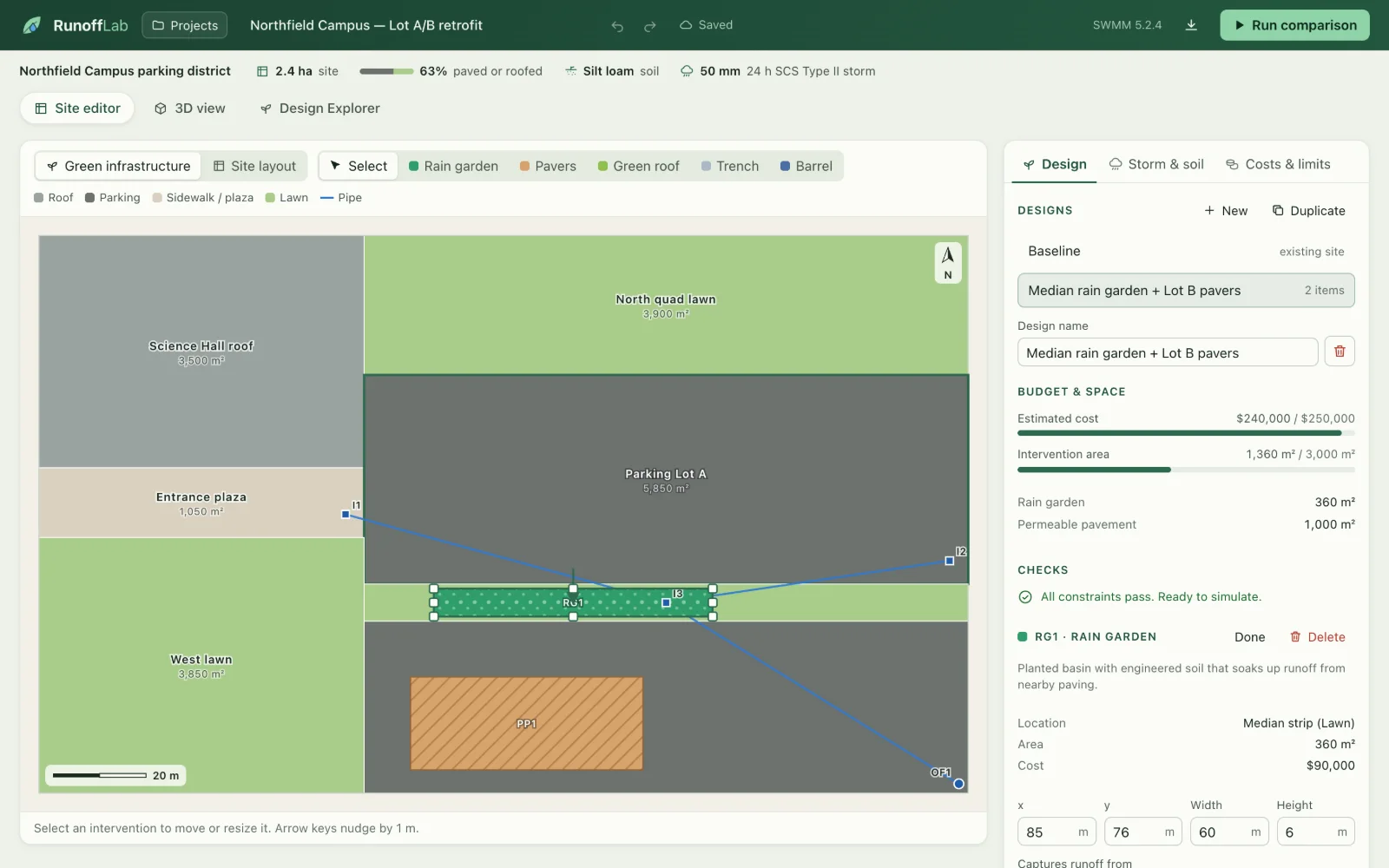
An SVG editor for roofs, parking, lawns, drains and pipes, plus five kinds of green infrastructure. Constraint checks run as you edit.
- Simulate with SWMM
Each design becomes a SWMM 5.2 model, run locally through PySWMM: every surface a subcatchment, every feature a native LID control.
- Compare outcomes
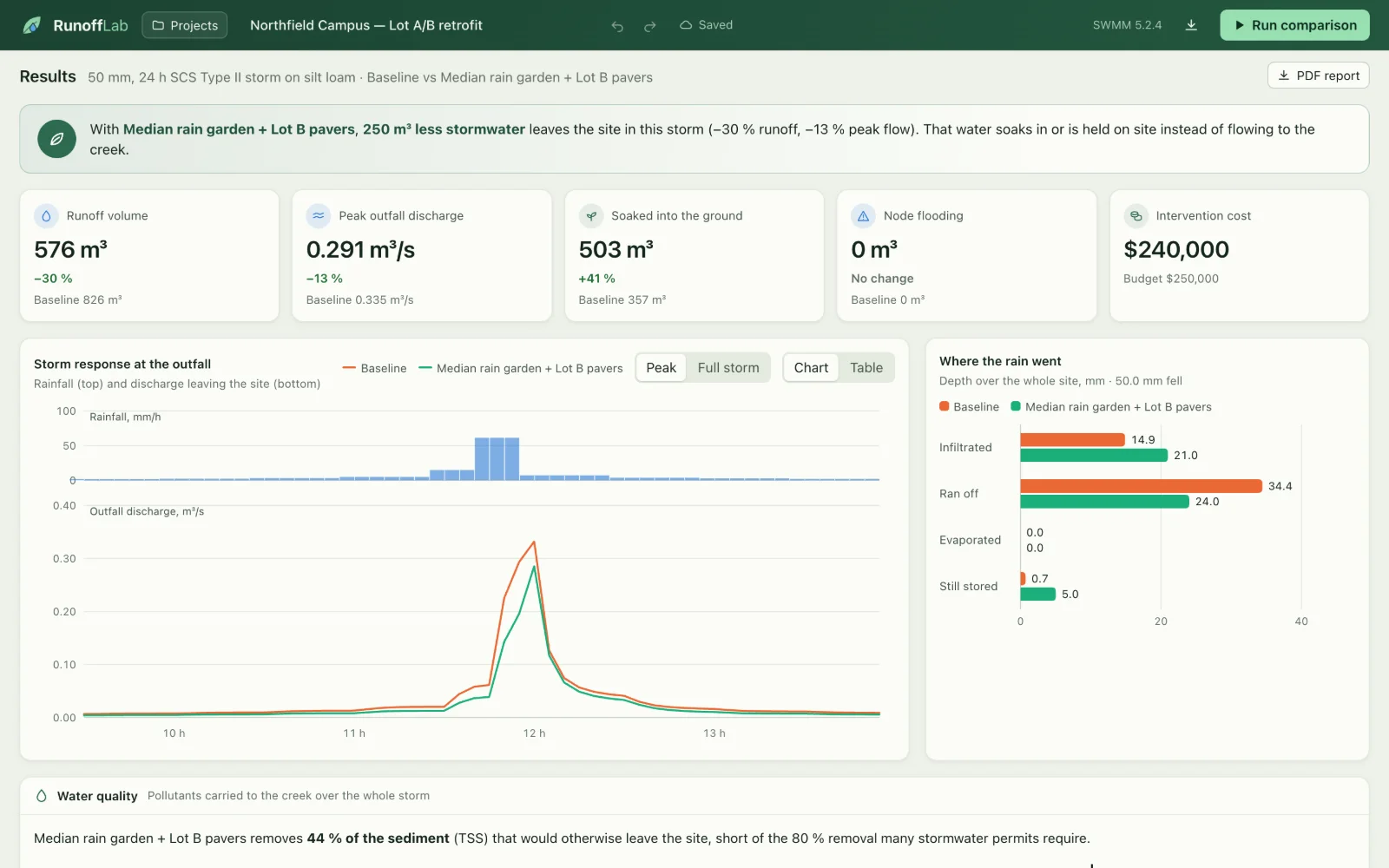
Baseline against design: runoff volume, peak outfall flow, the water balance, flooding, and sediment and phosphorus leaving the site.
- Search for trade-offs
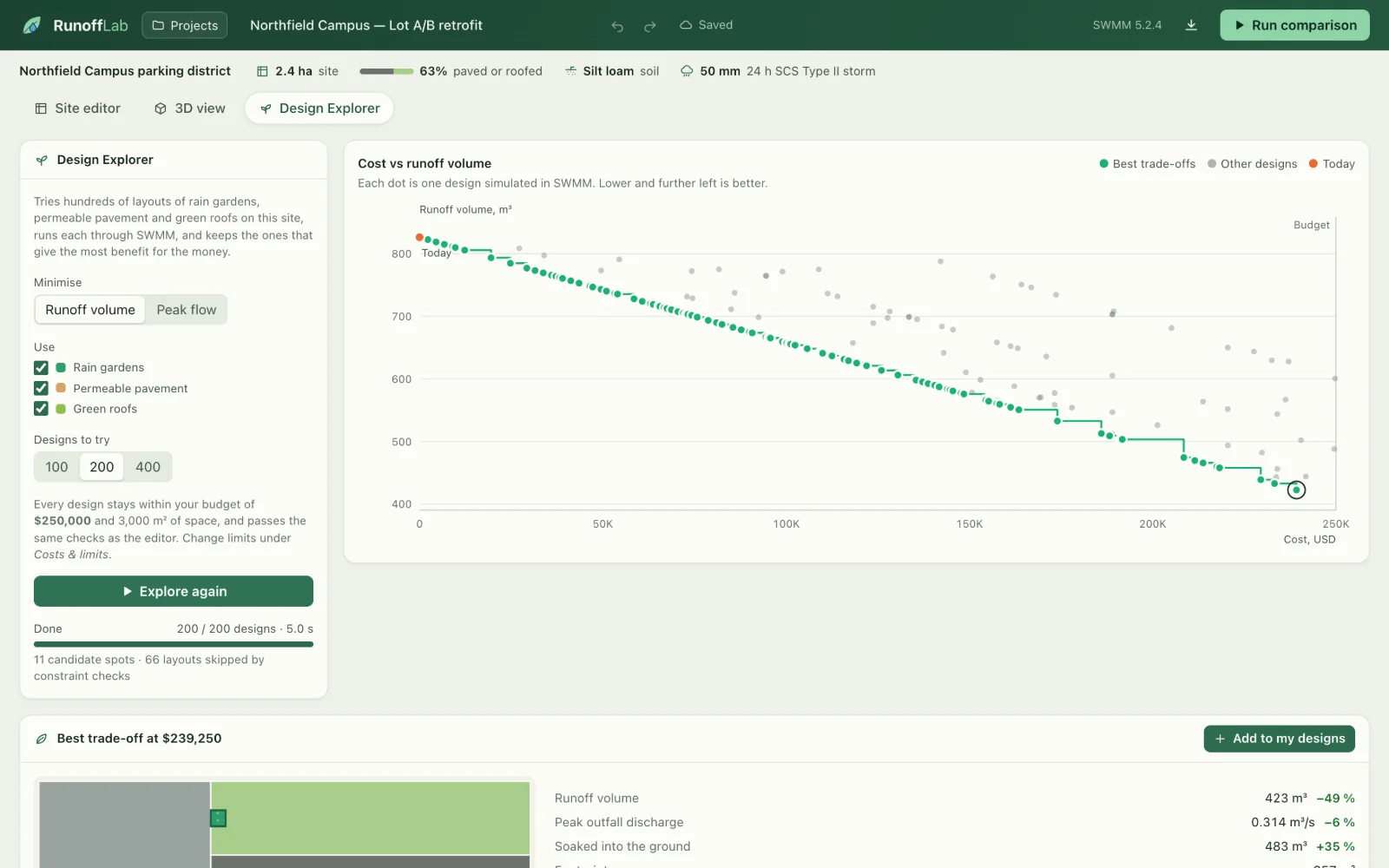
The Design Explorer runs hundreds of layouts through SWMM in parallel and highlights the cost-versus-runoff Pareto front.
- Look beyond one storm
Year-long continuous runs, what-if storms and clogged soils, a 3D storm replay and PDF reports with every assumption listed.
Decisions worth noting
- SWMM is the source of truth. The app never estimates a result itself. Tests check the engine against hand calculations, such as runoff from a roof equalling rain minus depression storage.
- Invalid designs never reach the engine. The same rules run in the editor while you draw and in the API before a simulation, so a design that couldn’t be built never produces numbers.
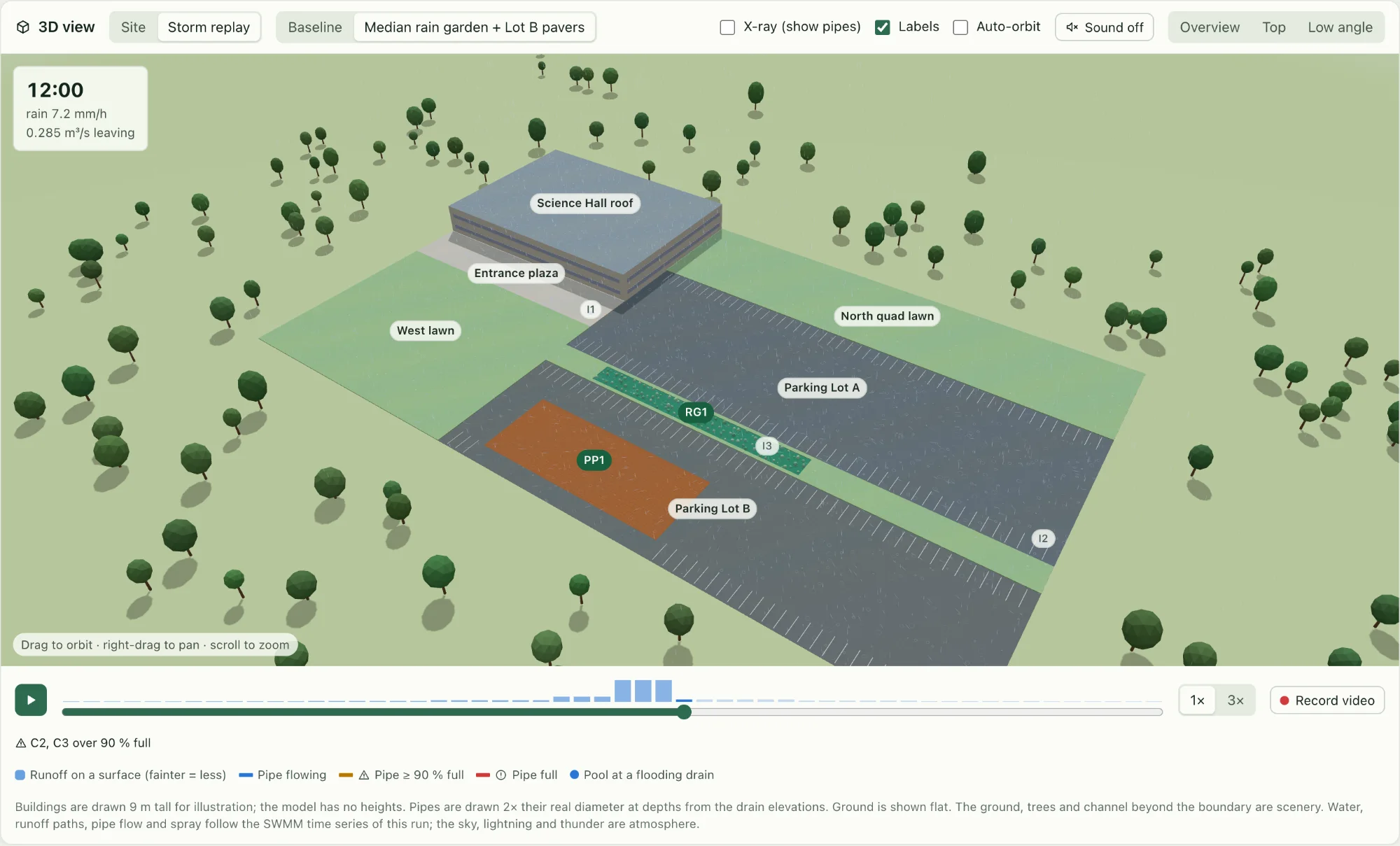
- The 3D view says what is real. Water, runoff paths and pipe flow follow the time series; building heights, trees and thunder are labelled as illustration.
In numbers
- 200designs
- explored in about 5 seconds by the Design Explorer
- −30%
- runoff for the sample design in a 50 mm storm
- 128tests
- 76 pytest, 39 Vitest and 13 Playwright
- 0API keys
- everything runs locally, including the engine
Sample numbers come from the bundled fictional 2.4 ha campus with illustrative unit costs. They show what the tool does; they are not a claim about a real site.
Limits, stated plainly
The site model is flat and made of rectangles. Costs and pollutant concentrations are illustrative defaults, and the built-in year of rainfall is synthetic unless a measured record is imported. There are no user accounts yet, so it isn’t deployed publicly.
Built with
- Python
- FastAPI
- EPA SWMM 5.2 / PySWMM
- SQLite
- Next.js
- React
- TypeScript
- three.js
- ReportLab
- pytest
- Vitest
- Playwright
- Docker